
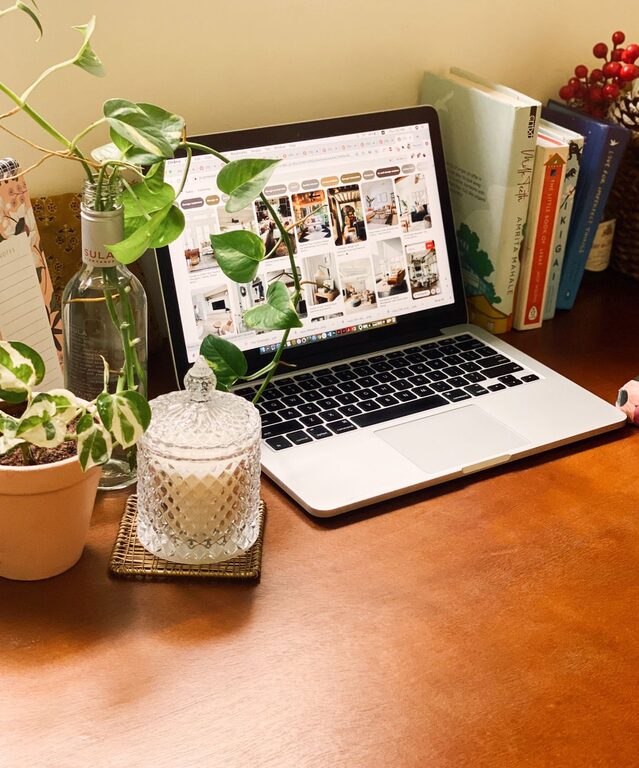
Creating a cozy and inviting home workspace is essential, especially as more people work remotely or spend significant time at their desks. A well-designed workspace can boost your mood, increase focus, and make the workday more enjoyable. Whether you have a small nook or a dedicated room, transforming it into a comfortable and inspiring environment is easier than you might think. Here are practical tips to help you craft a home workspace that combines style, comfort, and productivity.
Choose the Right Location
Picking the right spot for your workspace is the foundation of comfort and convenience.
– Natural Light: Position your desk near a window if possible. Natural light improves mood and helps reduce eyestrain.
– Quiet Area: Select a quieter corner of your home to minimize distractions.
– Space for Movement: Ensure there’s enough room to stretch your legs and move comfortably.
Invest in Comfortable Furniture
Your chair and desk are the stars of your workspace. Comfort is key to avoiding physical strain.
– Ergonomic Chair: Choose a chair with good lumbar support and adjustable height.
– Appropriate Desk Height: Your desk should allow your arms to rest comfortably at a 90-degree angle.
– Footrest: Consider using a footrest if your feet don’t comfortably touch the floor.
Lighting Matters
Good lighting can help reduce fatigue and keep you alert.
– Layered Lighting: Use a combination of overhead lighting, task lighting (like a desk lamp), and ambient lighting.
– Adjustable Desk Lamp: Provides focused light exactly where you need it.
– Warm Light: Opt for warm or natural light bulbs to create a cozy atmosphere.
Add Personal and Inspiring Touches
Your workspace should feel uniquely yours.
– Decorate with Plants: Greenery adds life, improves air quality, and can have calming effects.
– Inspiring Art: Hang artwork, posters, or motivational quotes that encourage creativity.
– Personal Items: Display photos, souvenirs, or items that bring you joy without cluttering.
Organize and Declutter
An organized space helps clear your mind and keeps you focused.
– Storage Solutions: Use shelves, drawers, or bins to keep supplies neat.
– Cable Management: Use clips or cable boxes to prevent tangles and mess.
– Daily Cleanup: Spend a few minutes at the end of each day tidying up your space.
Choose Soothing Colors and Textures
The colors and materials you use influence your mood and comfort.
– Soft Color Palette: Blues, greens, and neutrals can be calming and improve concentration.
– Comfortable Textures: Add cozy rugs, cushions, or throws for a warm, inviting feel.
Incorporate Technology Wisely
Technology should support, not hinder, your workflow.
– Quality Equipment: Invest in a reliable computer, keyboard, mouse, and headphones.
– Wireless Devices: Reduce cord clutter with wireless options.
– Ergonomic Placement: Position screens at eye level to avoid neck strain.
Create Zones for Different Activities
If space allows, separate areas within your workspace to suit different tasks.
– Focus Zone: For computer work or deep concentration.
– Creative Zone: For brainstorming, sketching, or planning.
– Relaxation Spot: A small chair or cushion to take breaks and recharge.
Maintain Good Air Quality
Fresh air keeps you alert and healthy.
– Ventilation: Open windows regularly to circulate fresh air.
– Air Purifiers: Consider using one if your area has poor air quality.
– Plants: As mentioned, some plants can also help purify the air.
Establish a Routine and Boundaries
Finally, structure helps make your cozy workspace more effective.
– Set Work Hours: Create clear start and end times.
– Breaks: Take short breaks to stretch and rest your eyes.
– Work-Life Separation: Avoid using your workspace for leisure to maintain balance.
—
A cozy and inviting home workspace doesn’t have to be complicated or expensive. By thoughtfully choosing your location, furniture, lighting, and decor, you can create a space that supports your productivity and wellbeing. Start small, experiment with what makes you feel comfortable, and enjoy your improved work-from-home experience.
